A website’s success relies on seamless user interaction. Even minor UI glitches can hurt experience and trust.
UI web testing tools catch visual and functional issues early by validating layouts, buttons, forms, and navigation across browsers and devices to ensure everything works and looks as expected.
Overview
Popular UI Web Testing Tools:
- BrowserStack Percy: AI-powered visual regression testing with CI/CD integration and zero-noise screenshot comparisons.
- Selenium: Open-source browser automation standard with broad language and platform support.
- Testsigma: Low-code cloud automation with NLP-based test authoring and self-healing tests.
- Applitools Eyes: Visual AI engine for intelligent screenshot comparison and ultra-fast cross-browser rendering.
- Testim: AI-stabilized end-to-end testing with smart locators and hybrid low-code scripting.
- Functionize: AI-native autonomous testing platform with self-healing tests and massive cloud scalability.
- Parasoft SOAtest: Enterprise-grade unified API + UI testing with service virtualization and codeless workflows.
- TestGrid: Codeless cross-platform testing with real device cloud and real-time performance insights.
This article explores the role of a UI web testing tool in web development, its key benefits, popular options available in 2025, and how teams can select the best fit for their projects.
What is UI Web Testing?
UI web testing is the process of verifying that a website’s user interface functions and appears correctly across browsers, devices, and screen sizes.
It checks elements such as buttons, forms, menus, and images for accuracy, responsiveness, and alignment with design specifications. The goal is to confirm that every component performs its intended action and displays as expected.
Must Read:UI Testing: A Detailed Guide
Importance of UI Web Testing Tools
UI web testing tools play a critical role in verifying that a website’s interface performs as intended, maintains visual consistency across browsers, and delivers a stable user experience under real user conditions.
Key reasons why UI web testing tools are important:
- Detect cross-browser layout inconsistencies early in the development cycle.
- Validate functional components such as buttons, forms, and navigation workflows.
- Identify visual regressions caused by UI or CSS modifications.
- Automate repetitive front-end test cases to accelerate release timelines.
Top UI Web Testing Tools in 2025
Listed below are the best UI web testing tools with an overview of their features, benefits, and limitations to help you make an informed decision.
1. BrowserStack Percy
Percy by BrowserStack is an AI-powered visual testing platform designed to automate visual regression testing for web applications, ensuring flawless user interfaces on every code commit.
Integrated into CI/CD pipelines, Percy detects meaningful layout shifts, styling issues, and content changes with advanced AI, significantly reducing false positives and cutting down review time for fast, confident releases.
- Effortless Visual Regression Testing: Seamlessly integrates into CI/CD pipelines with a single line of code and works with functional test suites, Storybook, and Figma for true shift-left testing.
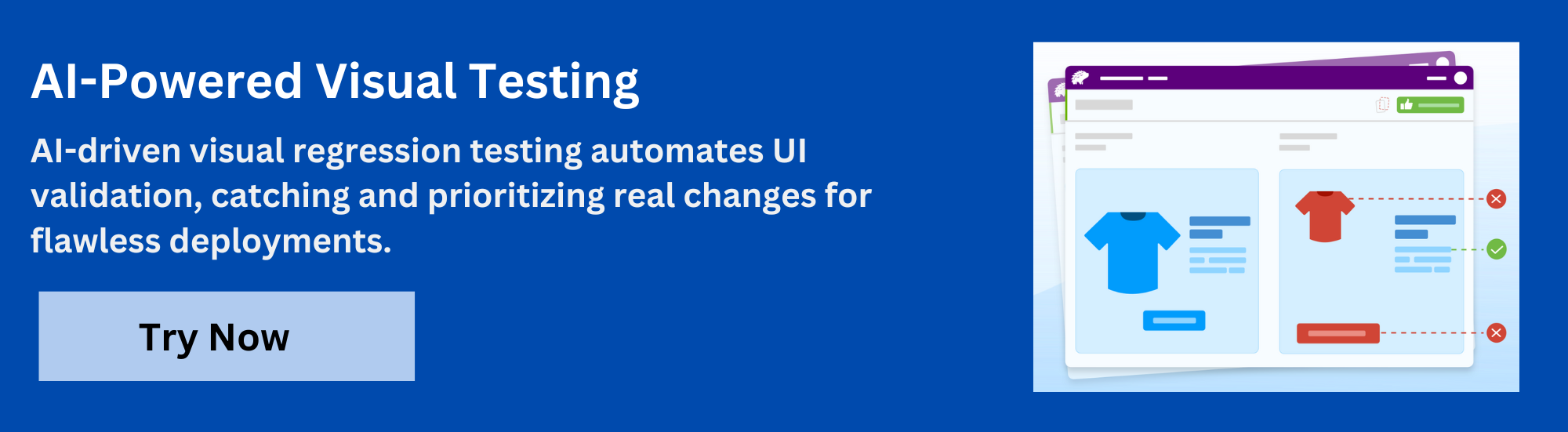
- Automated Visual Regression: Captures screenshots on every commit, compares them side-by-side against baselines, and instantly flags visual regressions like broken layouts, style shifts, or component bugs.
- Visual AI Engine: The Visual AI Engine uses advanced algorithms and AI Agents to automatically ignore visual noise caused by dynamic banners, animations, anti-aliasing, and other unstable elements. It focuses only on meaningful changes that affect the user experience. Features like “Intelli ignore” and OCR help differentiate important visual shifts from minor pixel-level differences, greatly reducing false positive alerts.
- Visual Review Agent: Highlights impactful changes with bounding boxes, offers human-readable summaries, and accelerates review workflows by up to 3x.
- No-Code Visual Monitoring: Visual Scanner allows rapid no-install setup to scan and monitor thousands of URLs across 3500+ browsers/devices, trigger scans on-demand or by schedule, ignore dynamic content regions as needed, and compare staging/production or other environments instantly.
- Flexible and Comprehensive Monitoring: Schedule scans hourly, daily, weekly, or monthly, analyze historical results, and compare any environment. Supports local testing, authenticated pages, and proactive bug detection before public release.
- Broad Integrations: Supports all major frameworks and CI tools, and offers SDKs for quick onboarding and frictionless scalability.
App Percy is BrowserStack’s AI-powered visual testing platform for native mobile apps on iOS and Android. It runs tests on a cloud of real devices to ensure pixel-perfect UI consistency, while AI-driven intelligent handling of dynamic elements helps reduce flaky tests and false positives.
With easy plug-and-play integration requiring just one line of code, App Percy supports popular frameworks like Appium, WebdriverIO, Java, and Python. Its highly scalable parallel test execution accelerates build times by 10x, while a unified dashboard offers logs, screenshots, video recordings, and compliance with key data privacy standards.
Pricing
- Free Plan: Available with up to 5,000 screenshots per month, ideal for getting started or for small projects.
- Paid Plan: Starting at $199 for advanced features, with custom pricing available for enterprise plan.
2. Selenium
Selenium is an open-source framework for automating web browsers. It provides a suite of tools, most notably WebDriver, which allows for direct interaction with a browser using programming language bindings like Java, Python, and C#. It is the industry standard foundation for functional UI testing, supporting a vast ecosystem of third-party tools and extensions.
Key features of Selenium
- WebDriver: The core API that drives native browser interactions using OS-level commands for stability.
- Cross-Platform Support: Executes tests across all major operating systems, including Windows, macOS, and Linux.
- Language Bindings: Supports official language bindings for multiple programming languages like Java, C#, and Python.
- Selenium Grid: Enables parallel and distributed test execution across multiple machines and browser environments.
Selenium Pros
- Completely free to use with no licensing or subscription costs.
- Vast community support and large ecosystem of third-party tools.
Selenium Cons
- Test scripts are brittle and require frequent updates due to UI changes.
- Requires solid programming skills for effective setup and test creation.
3. Testsigma
Testsigma is a low-code, cloud-based test automation platform for continuous testing of web applications, mobile apps, and APIs. It utilizes simple English (Natural Language Processing) for test authoring, allowing non-technical team members to contribute to the automation effort with self-healing capabilities and a comprehensive cloud test infrastructure.
Key features of Testsigma
- Scriptless Automation: Allows users to author test cases using simple English sentences, minimizing coding expertise.
- AI-Engine: Features self-healing scripts and dynamic element handling to eliminate test flakiness from UI changes.
- Cloud Test Lab: Provides a zero-setup, fully loaded lab with 800+ browser/OS and 2000+ real mobile device combinations.
- Unified Platform: A complete solution for end-to-end testing, covering web, mobile, and API testing on one platform.
Testsigma Pros
- Natural Language Processing (NLP) makes test creation accessible to manual testers.
- Provides a large, integrated cloud lab for instant cross-browser execution.
Testsigma Cons
- A learning curve exists for utilizing advanced agentic AI features effectively.
- Pricing details for enterprise scale require direct contact with sales.
Must Read: TestSigma Alternatives
4. Applitools Eyes
Applitools Eyes is an AI-powered visual testing and monitoring solution. It uses advanced computer vision algorithms (Visual AI) to automatically validate the functional correctness and visual appearance of a UI across all browsers and viewports, identifying true visual bugs and ignoring insignificant differences from browser rendering.
Key features of Applitools Eyes
- Visual AI: Leverages computer vision and AI to compare screenshots, ignoring insignificant rendering differences.
- Ultrafast Grid: Renders a single test across thousands of browsers/devices in parallel for instant cross-browser coverage.
- Layout Match: An intelligent comparison mode that verifies element positioning while ignoring acceptable content changes.
- Root Cause Analysis: Provides detailed debugging information and highlights visual differences against the baseline image.
Applitools Eyes Pros
- Visual AI eliminates false positives common in traditional pixel-based tools.
- Dramatically reduces test code and maintenance compared to functional checks.
Applitools Eyes Cons
- Initial setup and integration can present a complex learning curve for new users.
- Primarily cloud-based, limiting its use in highly restricted network environments.
5. Testim
Testim is a full-featured, AI-powered test automation platform for web and mobile applications. It offers a low-code/codeless and a coded approach, focusing on creating fast and resilient end-to-end tests by using machine learning for locator stability and overall test maintenance reduction.
Key features of Testim
- Smart Locators: Uses machine learning to automatically update element locators when the UI changes, reducing maintenance.
- Codeless/Coded Hybrid: Supports both visual, low-code authoring and JavaScript code insertion for complex scenarios.
- Cloud-Based Execution: Runs tests across multiple browsers and devices to ensure comprehensive cross-platform compatibility.
- Detailed Reporting: Provides comprehensive reports with logs, screenshots, and video recordings of test execution for debugging.
Testim Pros
- AI-driven stability minimizes overhead associated with continuous script updates.
- Supports a flexible low-code and coded hybrid approach for custom logic.
Testim Cons
- Licensing cost is a factor for smaller teams compared to open-source tools.
- Reliance on proprietary AI models restricts future framework migration flexibility.
Must Read: Testim Alternatives
6. Functionize
Functionize is an AI-native testing platform that uses specialized agents and deep learning to deliver autonomous test automation. It is cloud-first, focusing on eliminating the effort of test creation and maintenance through self-healing, adaptive, and scalable agents that intelligently interact with the application under test.
Key features of Functionize
- Self-Healing AI: Autonomous agents automatically detect and fix test script issues during execution to reduce maintenance.
- Agentic Platform: Core architecture uses intelligent agents that think, adapt, and act to build, run, and diagnose tests.
- Test Generation: Leverages AI and NLP, allowing non-technical users to create functional tests quickly and efficiently.
- Unbounded Parallelism: Stateless, containerized agents facilitate instant scaling for massive parallel testing across environments.
Functionize Pros
- High element recognition accuracy achieves 99.97% stability and cuts maintenance by 80%.
- Cloud-first, agent-based platform provides instant, unbounded test scaling.
Functionize Cons
- Test execution sometimes is slow due to VM assignment and setup time.
- Pricing is not public and represents a high investment for most enterprises.
Read More: Functionize Alternatives
7. Parasoft SOAtest
Parasoft SOAtest is an end-to-end platform for enterprise-grade API and non-functional testing, but also features integrated codeless UI test automation. It enables intelligent API testing, performance validation, and security analysis, integrating with Service Virtualization to eliminate environment dependencies.
Key features of Parasoft
- Unified Testing: Consolidates functional, performance, security, and UI testing within a single, integrated platform.
- Service Virtualization: Uses Parasoft Virtualize to create realistic API simulations, isolating dependencies and unblocking teams.
- Codeless Workflows: Provides a codeless UI for test creation, allowing less technical testers to contribute to automation.
- Change Advisor: Identifies exactly what changed in the API and refactors affected test cases in bulk, speeding maintenance.
Parasoft Pros
- Works directly with existing Selenium tests, preventing vendor lock-in risk.
- AI-powered techniques provide high test stability and reduce script upkeep effort.
Parasoft Cons
- The comprehensive suite is resource-heavy for large or complex test suites.
- A broad feature set creates a steep learning curve for basic testing needs.
8. TestGrid
TestGrid is a unified test automation and digital quality platform that provides scriptless test creation, real-time analytics, and a cloud-based infrastructure. It supports continuous testing across web, mobile, and APIs, catering to medium to large enterprises needing extensive test coverage and cost-efficient scaling.
Key features of TestGrid
- Scriptless Automation: Allows non-technical users to create and execute tests rapidly without requiring any coding expertise.
- Real-Time Analytics: Provides immediate, actionable insights and detailed, customizable reports on automated test execution.
- Integrated Device Lab: Offers a cloud-based infrastructure with multi-platform support for extensive cross-browser testing.
- Codeless AI: The platform incorporates AI-powered automation features that enhance efficiency and reduce overall testing costs.
TestGrid Pros
- Scriptless test creation significantly improves in-sprint automation speed.
- Integrated transaction analysis helps identify application performance bottlenecks.
TestGrid Cons
- AI-powered features often restrict access to higher-tier enterprise plans only.
- Users report occasional failures connecting to cloud devices or browsers.
Key Features to Look for in a UI Web Testing Tool
When choosing a UI web testing tool, you need to ensure it aligns with performance and usability goals. Here are some major features to consider:
- AI-Powered Self-Healing: The system detects and fixes broken element locators at runtime. This prevents common test failures when minor application changes occur.
- Cross-Browser Execution: The tool must support simultaneous test execution across different web browsers and operating systems, confirming compatibility.
- Codeless Test Creation: Offers record-and-playback functions. This allows non-technical quality assurance staff to quickly build and maintain test cases.
- Standard Code Generation: Generates clean, production-ready test code, such as Java or Python, following patterns like Page Object Model. This avoids vendor lock-in.
- End-to-End Orchestration: Permits combining the UI test flow with backend API and database steps. The tool validates the entire transaction path across layers.
- Test Impact Analysis (TIA): Automatically determines which tests are affected by new code commits. TIA executes only those necessary tests, drastically cutting CI/CD time.
- Visual Validation: Compares screenshots of the UI across test runs to find visual regressions, such as layout shifts or styling errors.
- Detailed Reporting & Analytics: Provides comprehensive failure reports, including screenshots and logs. The reports allow quick root cause analysis for faster debugging.
Top UI Web Testing Tools (2025): A Brief Comparison
As discussed above, each of the UI web testing tools comes with distinct capabilities, pricing, and ideal use cases. The below table outlines a quick comparison of their core strengths and automation approach.
| Tool | Primary Focus | Key Automation Approach | Core Features | Open Source/ Commercial |
| BrowserStack Percy | Visual Regression Testing | AI-powered Visual Comparison | Snapshot capturing, automated visual diffing, cross-browser/device rendering, robust CI/CD integration. | Commercial (Free Plan) |
| Selenium | Foundation for Web Functional Testing | Code-based (WebDriver API) | Cross-browser, multi-language support (Java, Python, C#), parallel execution via Grid. | Open Source |
| Testsigma | Unified Codeless/Low-Code Automation | Generative AI & Natural Language | Codeless test creation, AI self-healing, integrated cloud device lab (3000+ environments), E2E support. | Commercial (Free Trial) |
| Applitools Eyes | AI-Powered Visual Validation | Visual AI and Intelligent Testing | Advanced AI for layout, content, and geometry validation; automatically handles dynamic content, root cause analysis. | Commercial (Free Plan) |
| Testim | AI-Powered Functional Testing | Low-Code/Code Hybrid | Self-healing element locators, cross-browser execution, supports custom code for complex flows, detailed reporting. | Commercial (Free Plan) |
| Functionize | Autonomous Cloud Testing | Machine Learning & Test Autonomous | AI creates and updates tests autonomously, natural language processing for test creation, adaptive test maintenance. | Commercial |
| Parasoft SOAtest | Enterprise API and UI Testing | Scriptless & Low-Code (Model-based) | Broad API testing support, deep security/performance integration, reusable assets across API/UI, supports Selenium integration. | Commercial |
| TestGrid | Cloud-based E2E Testing | Low-Code & Scriptless | Real devices/browser cloud, integrated test management, mobile and web testing from a single platform. | Commercial |
Choosing the right tool ultimately depends on your team’s existing skill set, the application’s complexity, and the importance of visual quality assurance. A thorough POC is recommended before committing to an enterprise solution.
How to Choose the Right UI Web Testing Tool for Your Team
Choosing the right UI web testing tool isn’t complicated, but it does demand clarity on project scope, team expertise, and testing needs.
Follow the seven steps below to make a well-grounded decision.
Step 1: Define project scope: Identify application type, browser coverage, and testing depth. The tool should match your project scale and complexity without overcomplicating workflows.
Step 2: Assess team skills: Select a tool that fits the team’s technical capability. Low-code or no-code options help non-developers, while open-source frameworks suit technical testers.
Step 3: Check cross-browser coverage: The chosen tool must support major browsers, operating systems, and real devices to detect UI issues under real-world conditions.
Step 4: Evaluate automation features: Look for self-healing locators, AI support, and CI/CD compatibility to reduce maintenance time and increase test stability.
Step 5: Review reporting and analytics: A good UI web testing tool provides clear reports, logs, and screenshots that help analyze failures and identify trends faster.
Step 6: Verify integration support: Confirm compatibility with existing DevOps tools, version control systems, and cloud environments for seamless workflow adoption.
Step 7: Compare cost versus value: Consider license type, scalability, and support. A cost-effective tool balances functionality with long-term maintenance efficiency.
Why is BrowserStack Percy the Best UI Web Testing Tool?
BrowserStack Percy tops the list of best UI web testing tools for many reasons, including its ability to integrate with existing functional frameworks. However, the top 3 differentiators that give it a significant edge over traditional and most other testing solutions are:
- AI-Powered Visual Regression Engine: Utilizes intelligent algorithms to detect visual changes across the UI, not just functional breaks.
- Cross-Browser/Responsive Coverage: Captures the Document Object Model (DOM) once and renders it across a massive grid of real browsers and diverse screen sizes.
- Integrated CI/CD Visual Workflow: Provides a collaborative dashboard for visual review and approval directly within the pull request.
Challenges & Solutions in UI Web Testing
UI web testing offers the necessary validation for user experience, however it comes with notable technical and process overhead. Here are some critical challenges teams often face:
- Test Flakiness: Caused by timing/network delays > Use explicit waits, stable locators, and run tests on reliable cloud environments.
- High Maintenance Overhead: Frequent UI updates break locators > Adopt Page Object Model & self-healing locator tech (AI-based tools).
- Cross-Browser Complexity: Hard to validate across OS, browsers, viewports > Use a cloud grid with automated cross-browser/device testing.
- Dynamic Content Issues: Changing UI elements cause inconsistent results > Mask/ignore dynamic regions or use visual AI to filter noise.
- Missed Visual Defects: Functional scripts miss CSS/layout issues > Add visual regression testing alongside functional checks.
- Slow Feedback Cycles: Large suites delay results > Run tests in parallel & trigger via CI/CD for faster turnaround.
- Test Data Challenges: Difficult to maintain consistent data > Use data-driven tests & automated data resets/mocking strategies.
Conclusion
A UI web testing tool plays a key role in delivering stable, intuitive, and consistent websites. It verifies that every visual and interactive element works as expected across different browsers, devices, and screen sizes. Yet, UI testing often poses challenges such as flaky test results, high maintenance efforts, and inconsistent rendering across environments.
Tools like BrowserStack Percy help overcome these challenges by automating visual testing and detecting even the smallest layout or design changes. It integrates easily with CI/CD pipelines, captures screenshots across multiple environments, and compares them against previous builds to highlight visual differences instantly.
 Featured Article


